
Sent, signed and filed on the record.
Handbooks acknowledged, agreements signed, offer letters accepted. Each one ends up on the employee’s record, with the evidence of how it was completed.
Prepare it once. Send it to the right people, in order.
HR uploads a PDF or starts from a saved template, chooses how the document will be completed, names the recipients and the order they sign in, and places the fields: signature, initials, date, name, text, checkbox. Fields can be filled from the employee record.
A preview shows the document as each recipient will see it. Once it is sent, the document and its terms are frozen.
- Three ways to complete a document: acknowledgment, HelmRow eSignature, or a copy signed elsewhere and uploaded for review
- Someone outside the company, such as a candidate with an offer letter, signs from an emailed link and a code
- Decline with a reason; void and reissue from the document itself
Signing takes a minute. The evidence stays.
The signer reviews the document, completes their fields, adopts a typed or drawn signature, confirms their consent, and enters a current code from their authenticator app.
A completed document produces three things: the signed PDF, a completion record of who did what and when, and an evidence manifest. It reads Completed only after all three are stored and checked.
- An acknowledgment records that a person received a version of a document, without calling it a signature
- Everything waiting for a person is in My documents, inside their Inbox
- A departed employee can be given an expiring link to their own copies
Watch a document go out and come back.
Three short videos, recorded in the application with a made-up demo company.
-
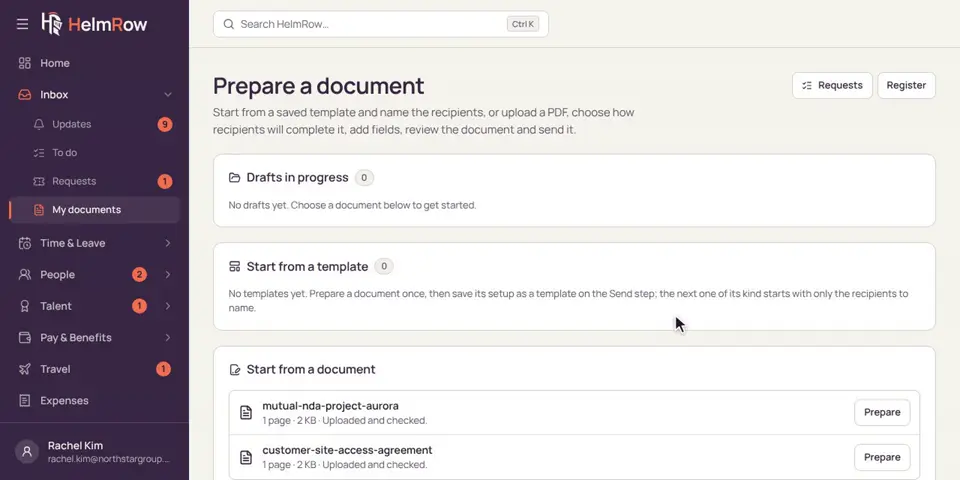
4.8 · 1:45 minutes
Sending a document for signature
Prepare a document, choose who signs it, place the signature, preview, and send.
-
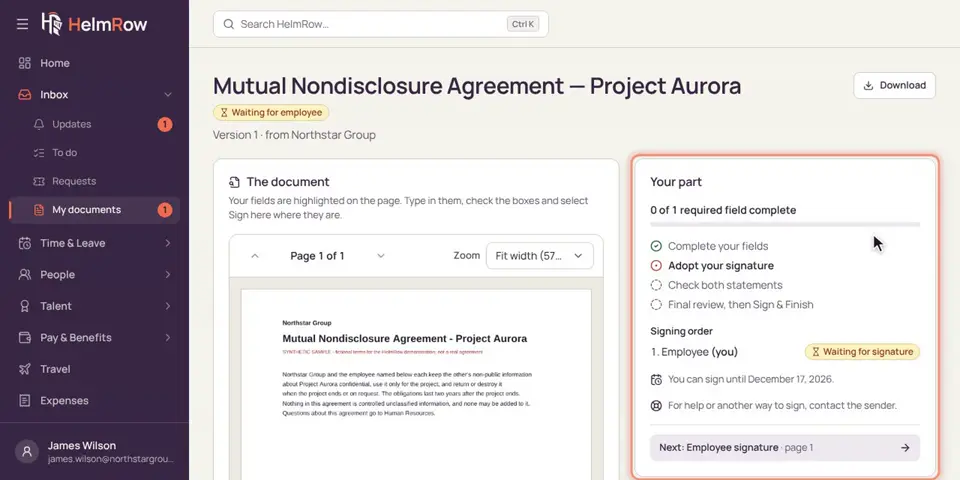
2.7 · 1:39 minutes
Signing a document
Review a document, adopt your signature, and sign it electronically with your code.
-
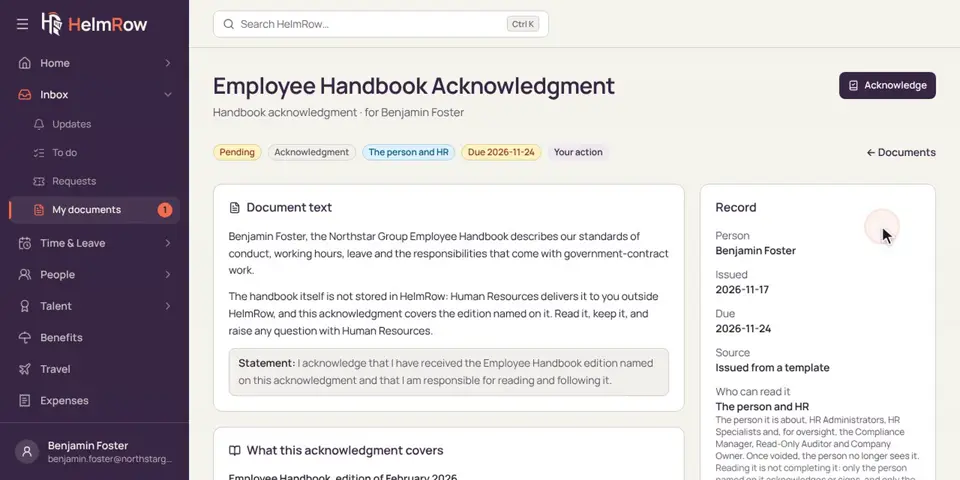
2.6 · 1:20 minutes
Acknowledging a document
Read a document like the employee handbook and confirm you’ve received it.
What we say, and what we won’t.
Signing is where software vendors overclaim most. These are the edges of ours.
Document and signature questions we get asked.
Is a HelmRow eSignature legally binding?
We do not make that claim for any document. HelmRow records the signer’s consent, their intent, the code they entered and the exact document they signed, and produces a completion record. Whether that meets the requirements for a particular document is a question for your counsel.
Do we need a separate e-signature subscription?
Not for documents completed inside HelmRow. If a document has to be signed somewhere else, upload the signed copy: HR reviews it, accepts or rejects it, and the original file is kept unchanged.
Can a candidate sign an offer letter without an account?
Yes. Someone outside the company receives an emailed link and a six-digit code, signs in a short restricted session, and afterwards has a link to their own copy.
What is the difference between acknowledging and signing?
An acknowledgment records that a person received a particular version of a document, such as the employee handbook. A signature is a separate act with consent, intent and an authenticator code. HelmRow keeps the two apart and never presents an acknowledgment as a signature.
See a document signed and filed, start to finish.
A demo prepares a document, signs it as the employee, and opens the completion record.