
Approved hours out. What came back, checked.
HelmRow does not run payroll. It hands approved hours to the payroll provider you already use, then compares the provider’s results with what was sent, so a difference is explained before the period closes.
Close the period from the facts.
Accounting sees each pay period with what still holds it open and who has to act: uncertified timesheets, approvals waiting, pending leave, an open correction. Closing time entry, distributing labor, exporting and locking the period are separate steps, each recorded with who took it.
Labor distribution is arithmetic over versioned records: approved hours, effective-dated rates, and the direct, indirect and unallowable treatment each charge code carries. Nothing is inferred.
- A readiness check before export: missing certification or approval, pending leave, no payroll ID
- A general-ledger export for your accounting system
- A finished period is locked; reopening one is deliberate and on the record
Every difference explained before anyone approves.
Payroll runs in four steps: review the timesheets, prepare the export, send it, then confirm and close. The export is a versioned batch with a content hash, approved by someone other than the person who prepared it, under an authenticator code. If a source record changes afterwards, the batch says it is stale.
When the provider’s results come back, HelmRow compares them with what was sent, person by person and in total. In the screen here, one person’s hours came back a quarter hour short, and the comparison cannot be approved until that difference is explained in writing.
- Hours only by default: regular, overtime, leave and holiday, by earning code
- Only rejected lines are retried, so an accepted line is never sent twice
- Closing payroll files an evidence package for the period
Watch a period close and the hours go out.
Three short videos, recorded in the application with a made-up demo company.
-
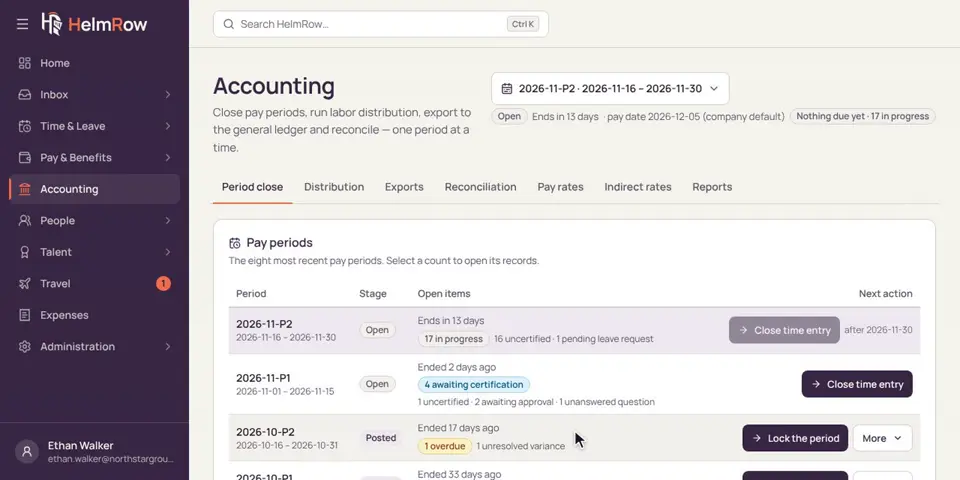
5.1 · 1:57 minutes
Closing a pay period
See what’s holding a pay period open, how it’s closed, and how a finished period is locked.
-
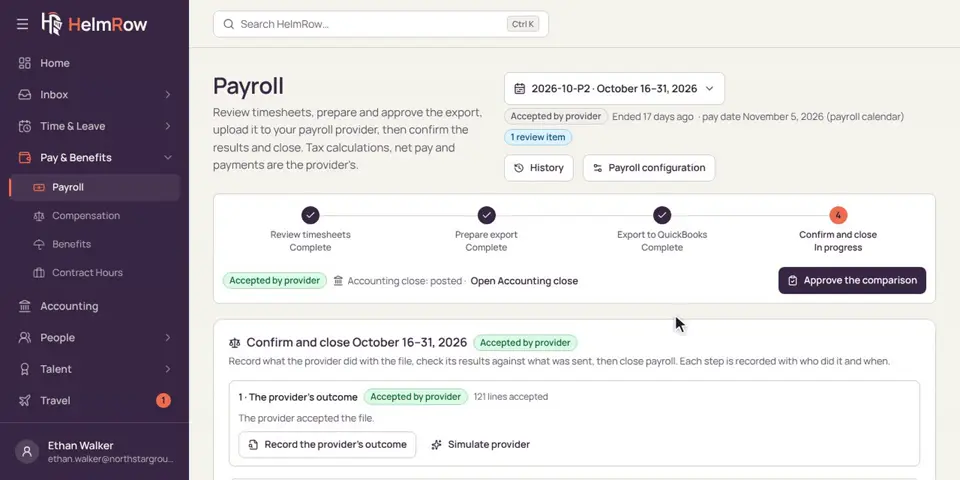
5.2 · 2:04 minutes
Sending hours to payroll
Send approved hours to your payroll provider, check what comes back, and close payroll for the period.
-
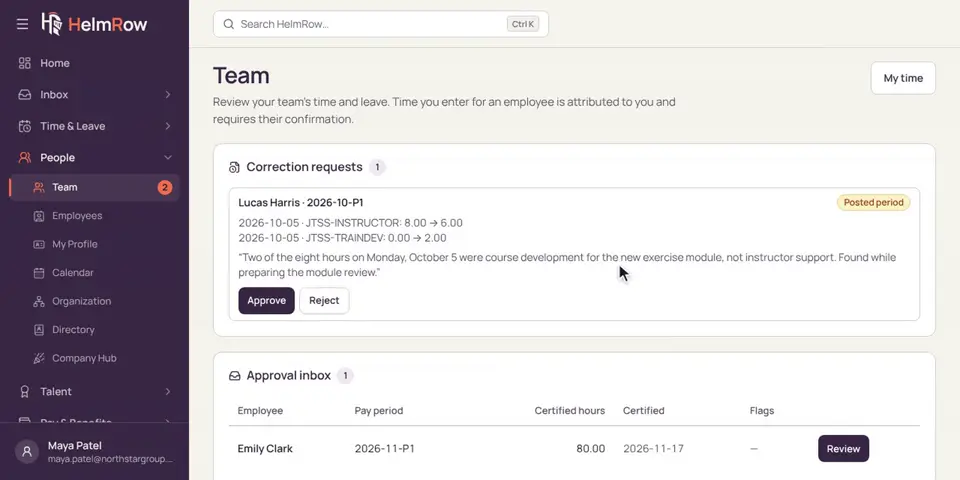
3.6 · 1:16 minutes
Approving a correction
Someone needs to fix hours that already went to accounting. Check the change and approve it.
What we say, and what we won’t.
A payroll claim is easy to overstate. These are the edges.
HelmRow provides tools designed to support compliant timekeeping practices. DCAA compliance depends on an organization’s complete policies, procedures, internal controls, and implementation.
Payroll questions we get asked.
Does HelmRow run payroll?
No. HelmRow computes no tax, no net pay and moves no money. It sends approved hours to the payroll provider you already use, and checks what comes back.
Which payroll providers does it work with?
HelmRow produces export files; it does not connect to a provider. The export is a standard CSV or JSON file with a manifest, or a layout shaped for a common payroll import. Whether a layout fits your provider’s import is something we check with you in a demo, against your provider’s own specification.
What happens when payroll and the timesheets disagree?
The comparison shows the difference by person and in total, and it cannot be approved until someone explains the difference in writing and a reviewer accepts the explanation. Our reconciliation checklist describes the same discipline for any system.
Can the person who prepared the export approve it?
Not by default. Preparing a payroll export and approving it are separate duties, and approval asks for an authenticator code.
Bring your controller to the demo.
We will close a period, export it, and reconcile a difference in front of them.